



Use Wozber and land your dream job
Create CV
No registration required
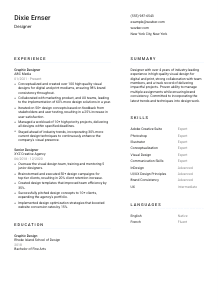
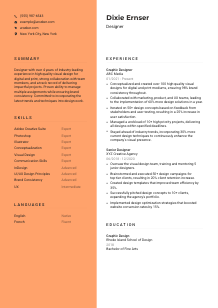
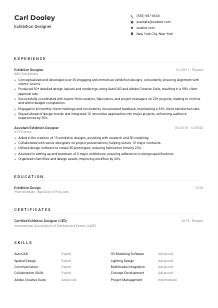
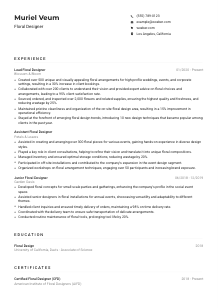
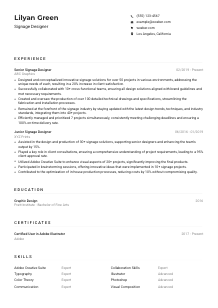
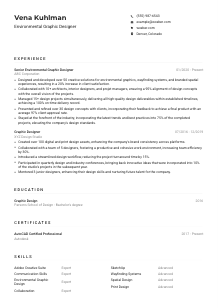
Sketching visions, but your CV feels like a rough draft? Check out this Designer CV example, created with Wozber free CV builder. Learn how to bring your creative flair in line with job specs, crafting a career canvas that's always on-trend and in high demand!

Design hiring moves quickly, but the review itself is usually blunt. Teams scan for proof that you can turn ideas into polished visual work, keep a brand system consistent across channels, and handle feedback without losing the point of the piece. Your CV has to surface that professional judgment, not just list software or say you are creative.
When the CV is tailored well, marketing leads, product partners, and recruiters can see faster whether your background leans toward campaign design, brand work, digital execution, or cross-functional production. Wozber's free CV builder helps you shape that story in an ATS-friendly CV format, so the right keywords, tools, and outcomes are easy to read and easier to connect to the kind of design work the role actually needs.
For designers, the top of the CV should feel clean and intentional. It needs to cover the basics fast, point people to your work, and remove simple objections before anyone even reaches your portfolio or experience bullets.
Your name should be the most visible text on the page, set in a way that feels polished rather than decorative. This is a small but telling design choice. Strong spacing, readable type, and restrained styling already show that you understand hierarchy and visual control.
Place "Designer" under your name if that is the role you are targeting, or use a close variant only when your background genuinely supports it, such as "Graphic Designer" or "Digital Designer." Matching the posted title helps with ATS alignment and makes your positioning immediate.
List a reliable phone number and a professional email address. Avoid distracting handles or extra personal details. Designers are often trusted with branded materials, campaign assets, and client-facing work, so even this section should reflect sound judgment and attention to presentation.
If a job requires local availability or names a specific city, include your city and state clearly. In the example, "New York City, New York" answers a stated requirement right away. If a different design role does not mention location, keep this line practical and concise rather than overexplaining it.
A portfolio link is essential for most design applications. Add your website, portfolio platform, or a strong LinkedIn profile if it showcases real project work. Make sure the link leads to current samples that reflect the kind of design the role calls for, whether that is digital campaigns, print collateral, brand systems, UI layouts, or concept development.
This section should make it easy to contact you, confirm any required logistics, and reach your portfolio without friction. For a Designer CV, clean execution here sets the standard for everything that follows.




Experience carries the most weight when it shows what you designed, who you worked with, and what changed because of the work. Hiring teams want to see output and outcomes together, especially when the role involves both visual craft and collaboration across marketing, product, or UX.
Before rewriting your bullets, mark the responsibilities that define the role. For this posting, that includes conceptualizing design work, producing for digital and print, partnering with cross-functional teams, iterating from feedback, and managing multiple deadlines. Those themes should shape which achievements you prioritise and how you phrase them.
Start with your most recent position and include title, company, and dates for each role. This gives hiring teams a quick read on your level, environment, and progression. For designers, the sequence also helps show whether your background comes from agency work, in-house brand teams, product-led companies, or freelance practice.
Strong design bullets do more than say you "created assets." Name the work and the context. Mention campaign visuals, print materials, product screens, brand templates, pitch decks, or design systems, then connect them to cross-functional collaboration or performance. In the example, partnering with marketing, product, and UX teams works well because it mirrors how many design teams actually operate.
Metrics make design experience easier to trust when they reflect real output or impact. Useful measures include number of campaigns delivered, brand consistency scores, project volume, conversion lift, user satisfaction, turnaround time, template adoption, or production efficiency. The sample bullets do this effectively with figures like 100+ designs created, 25% higher user satisfaction, and 35% better team efficiency.
Every bullet should help the reader understand your design range, execution level, or collaborative value. If a point does not relate to visual communication, design process, stakeholder work, production, or measurable outcomes, trim it. Space is better used on the projects, tools, and results that match the role you are pursuing now.
By the end of the Experience section, the reader should understand the kind of design environments you have worked in, the outputs you owned, and the results your work supported. That combination is far more persuasive than a list of general responsibilities.
Education matters most when the posting names a degree requirement or when your portfolio is still backed heavily by school projects. For designers, this section should confirm formal training in visual communication without taking attention away from recent work.
If the job asks for a bachelor's degree in Graphic Design, Visual Communication, or a related field, use the exact wording of your degree and field clearly. A line such as "Bachelor of Fine Arts, Graphic Design" immediately answers the requirement and saves the reader from guessing how closely your education aligns.
List your degree, field of study, school, and graduation year in a straightforward format. Design CVs can look polished without making basic information hard to find. Keep the layout consistent with the rest of the CV and avoid overdesigning this section.
When your degree directly supports the role, make that connection visible. In the example, the Rhode Island School of Design entry paired with a Graphic Design focus reinforces the candidate's training in the exact discipline the employer asked for. If your major is adjacent, keep the wording accurate and let your experience and portfolio close the gap.
Early-career designers can include relevant coursework, capstone work, publication design, UX projects, or branding assignments if those examples better reflect the target role than limited job history does. Once you have several years of professional work, those details usually become optional.
Awards, scholarships, student exhibitions, or leadership in design organizations can add value when they show initiative or recognized craft. Keep them only if they support your current level and do not crowd out more relevant professional experience.
This section should confirm that you meet the academic expectation and, when relevant, show formal grounding in design principles. For most mid-level designers, that is enough.
A Designer skills section works best when it balances tools, design capabilities, and collaboration strengths. It should sound like the profile of someone who can produce polished work inside a real team, not a keyword pile copied from software menus.
Start with the skills the employer names directly, then add closely related strengths you genuinely use. In this case, Adobe Creative Suite, conceptual thinking, visual design, digital execution, and familiarity with UI/UX principles all belong near the top because they match the role's day-to-day work.
Use the same terminology when it accurately describes your experience. If the posting says Photoshop, Illustrator, InDesign, brand consistency, or cross-functional collaboration, use those exact terms where appropriate. This helps both ATS parsing and human readers connect your background to the opening quickly.
Lead with the skills most tied to the role's deliverables, then follow with supporting strengths. A practical order for a Designer might be design software, core design capabilities, digital or UI-related knowledge, and then communication or collaboration skills. The example does this well by foregrounding Adobe tools and conceptual design before softer capabilities.
The right skills section should confirm the tools you can use, the kind of design thinking you bring, and the team environments you can work in. If every skill listed can be backed up in your portfolio or experience, the section is doing its job.
Language skills are usually a supporting detail in design hiring, but they matter when the role calls for a specific working language or when client, market, or team communication crosses regions. Keep this section factual and easy to scan.
If the job requires proficient English, list English at the top with an accurate proficiency level. That immediately answers a stated requirement and helps frame your ability to present ideas, discuss revisions, and collaborate with stakeholders clearly.
Additional languages can be valuable in agency settings, international brands, or customer-facing design teams. They are worth including when they may help with client communication, localized campaigns, or broader team collaboration.
Choose clear labels such as Native, Fluent, Intermediate, or Basic. Hiring teams do not need a creative description here. They need a realistic sense of how comfortably you can communicate in meetings, presentations, or written feedback cycles.
Extra languages are not required for every Designer role, but they can strengthen your profile when the company serves multiple markets or collaborates across regions. That value is situational, so include languages with intention rather than by habit.
If you are improving a language, list the level you can actually use in professional settings. Clear self-assessment matters more than an inflated label, especially in roles where presenting concepts and responding to critique are part of the work.
For this kind of role, English proficiency is the priority because it affects collaboration and feedback. Any additional language should add real context to how you can work with teams, clients, or audiences.
The summary is where you position yourself before the reader reaches the detailed evidence. For a Designer, that means stating your level, design focus, and strongest professional themes in a few lines that match the role's priorities.
Read the posting closely and identify the two or three themes that matter most. Here, those include professional design experience, high-quality visual work across digital and print, collaboration with cross-functional teams, and the ability to manage multiple projects. Use those themes to decide what belongs in your opening lines.
Start with a direct statement of who you are professionally. A line like "Designer with 4+ years of experience in digital and print visual design" works because it establishes seniority and specialization quickly. The sample summary follows that structure effectively.
After the opening, mention the capabilities most relevant to the target role, such as conceptualization, brand consistency, stakeholder collaboration, or user-informed iteration. If you can tie one of those strengths to an outcome, even better. That turns the summary from a description into a compact professional snapshot.
Aim for three to five lines. Avoid generic claims about passion or creativity unless they are anchored in actual work. A concise summary with real design language, relevant tools or mediums, and one clear value point will outperform a longer paragraph full of broad adjectives.
A strong summary gives the reader an accurate frame for the work that follows. For a Designer, it should quickly establish your design scope, collaboration style, and the level of execution you bring to visual projects.
A Designer CV should show more than taste. It should show the kind of visual work you have delivered, the teams you have worked with, the tools you use confidently, and the results your design decisions helped produce.
Use Wozber's free CV builder to shape that story in an ATS-friendly CV format, and use its ATS CV scanner to align your wording with the role's actual requirements. When the CV is tailored well, hiring teams can quickly see where your design experience fits and how ready you are to contribute.




