



Use Wozber and land your dream job
Create CV
No registration required
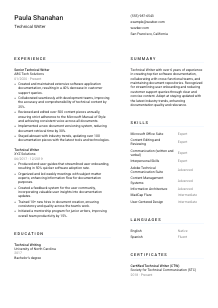
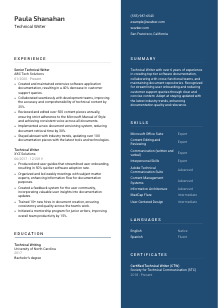
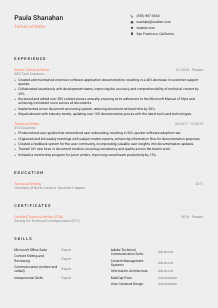
Translating tech talk, but your CV doesn't resonate? Check out this Technical Writer CV example, created with the Wozber free CV builder. Learn how to clearly present your technical flair to match job needs, making your career narrative as clear and concise as your hardware diagrams!
Technical writing gets judged in the details long before anyone opens a writing sample. Hiring teams want to see whether you can turn complex product behaviour, workflows, and development context into documentation people can actually use. Your CV needs to make that visible through the kinds of materials you have written, the teams you partnered with, and the outcomes your documentation improved.
A tailored CV also helps separate product documentation experience from broader content work. When the job calls for software documentation, style guide discipline, and publishing tools, Wozber's free CV builder can help you align your wording for ATS optimisation so those specifics appear clearly in the right sections. That makes it easier for reviewers to see your documentation scope, tool fluency, and the business effect of your writing.
Technical writers are expected to be accurate, structured, and easy to work with. Your contact section should reflect that same standard with clean formatting, clear identification, and only the details that help confirm you can move forward in the hiring process.
Use your full name in a clear, readable format that stands out from the rest of the page. For a Technical Writer, this small choice matters because your CV is already functioning as a writing sample. Overdesigned typography or cluttered formatting works against the precision the role requires.
Place "Technical Writer" directly under your name when that is the role you are pursuing. Matching the posted title helps both recruiters and ATS systems categorize your CV correctly, especially when employers are separating technical documentation candidates from content writers, copywriters, or training specialists.
List a phone number you answer and a professional email address based on your name. This section should read like well-maintained documentation metadata: current, consistent, and error-free. A typo here raises the wrong kind of question for a role built around accuracy and review discipline.
If a job specifies a location requirement, add your city and state so that requirement is easy to confirm. In the example, listing San Francisco, California directly supports a San Francisco-based opening. Use this kind of detail when it answers a stated hiring filter, not as filler.
A portfolio link is especially useful for Technical Writers because it gives hiring teams a quick way to review end-user guides, knowledge base articles, process documentation, API content, or writing samples. Make sure the site reflects the same tools, industries, and documentation style you describe in your CV.
This section should confirm who you are, how to reach you, and whether you meet any basic logistics the role names. Clean, accurate details reinforce the documentation discipline the rest of your CV needs to show.




For Technical Writers, experience is where hiring teams look for real operating context. They want to know what you documented, who you worked with, which tools or standards you used, and whether your writing improved adoption, support volume, accuracy, or internal efficiency.
Read the job description closely and identify the work patterns it repeats. For this opening, that includes software application documentation, development process documentation, end-user guides, collaboration with subject matter experts, style-guide adherence, and document versioning. Build your bullets around these tasks when they reflect your actual background so your experience reads as directly relevant rather than broadly editorial.
List positions in reverse chronological order with your job title, employer, and dates. Technical writing careers often include overlapping documentation duties across product, support, training, and engineering environments, so the structure has to be immediate and clean. Reviewers should be able to follow your progression from writer to senior writer, documentation specialist, or related roles without decoding the timeline.
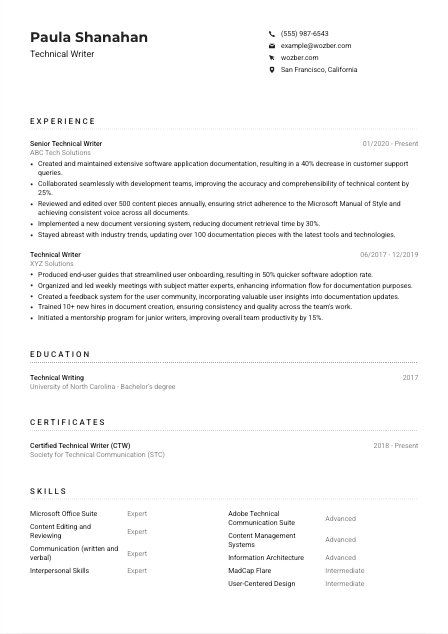
Show what you produced and what changed because of it. Strong bullets name the documentation type, the audience, and the result. The sample does this well with accomplishments such as reducing customer support queries by 40 percent and improving content accuracy and comprehensibility by 25 percent through collaboration with development teams. Metrics like adoption speed, ticket reduction, retrieval time, and review volume are especially credible in this field.
Every bullet should help answer a hiring question tied to documentation work. Keep space for software docs, user guides, repository management, editorial review, and cross-functional collaboration. Cut or compress duties that do not strengthen your case for handling technical content, style consistency, or documentation operations.
Technical Writers are often maintaining living content, not just drafting one-off documents. Include proof that you update materials as products change, improve documentation systems, or adopt better tooling and practices. In the example, updating more than 100 documentation pieces and implementing a versioning system are useful illustrations of ongoing maintenance work, not just content creation.
Your experience section should show that you can manage documentation across changing products, teams, and revisions. When the bullets connect writing work to user adoption, support efficiency, and content governance, the role becomes much easier to picture.
Education matters most when the posting names a degree requirement or when your academic background strengthens your documentation profile. In technical writing, the key is to present it clearly and match the field of study to the language employers actually use.
If the job asks for a bachelor's degree in Technical Writing, English, Communications, or a related field, make that information easy to find. A degree in Technical Writing, like the one shown in the example, aligns immediately with the requirement and reinforces your formal training in structured communication.
List the degree, field of study, school, and graduation year in a straightforward order. Avoid decorative layouts that make basic credentials harder to parse. This section should be fast to read for both ATS systems and hiring managers who are checking core eligibility before moving deeper into your CV.
If your degree falls within the fields named in the posting, use the standard wording that employers recognize. For example, writing "Bachelor's degree, Technical Writing" is clearer than an overly creative variation. Accurate phrasing helps your CV match the role without forcing keywords unnaturally.
Early-career candidates can strengthen this section with coursework or academic projects tied to documentation, editing, usability, information design, or technical communication. Once you have several years of professional experience, this becomes optional unless a project directly supports the industry or product space you are targeting.
Honors, scholarships, publications, or writing-related student organizations can be worth mentioning if they support your profile as a communicator and editor. Keep these details concise and relevant. They should add context, not compete with stronger professional documentation achievements.
Employers usually need this section to confirm the degree requirement quickly. Clear formatting and accurate field naming are enough unless your academic work adds useful context for the documentation work you want to do.
Certifications are not required for every Technical Writer role, but they can help when they point to professional development, industry involvement, or deeper expertise in documentation standards and practice.
Start with the job description. If a certification is required, list it prominently and use the exact name. If none are required, include only certifications that strengthen your case as a documentation professional. A credential such as Certified Technical Writer can support that story because it connects directly to the discipline rather than adding generic training.
Prioritise credentials tied to technical communication, content strategy, information architecture, product documentation, or tools used in documentation workflows. A short, focused list works better than a long list of loosely related courses. Hiring teams want to see specialization that supports the work described in the posting.
Include the issue date or active period when that helps show your certification is current. This is especially useful for credentials connected to evolving tools, standards, or regulated documentation environments. The example's active date range gives useful context without taking over the section.
Documentation tools, publishing workflows, and style standards change over time. If you have recent training in authoring platforms, content management systems, accessibility, or structured writing, include it when it supports the target role. Ongoing development tells employers you keep your documentation practice current.
The best certificates add a clear layer of role-specific credibility. They work well when they support your writing practice, tool usage, or professional standing in technical communication.
Technical Writer skill sections work best when they show the mix of authoring tools, editorial judgment, and collaboration needed to ship accurate documentation. Keep the list focused on tools and capabilities that appear in the role or are standard in software documentation work.
Start with the named requirements. Here, that includes Microsoft Office Suite, Adobe Technical Communication Suite, MadCap Flare, strong written and verbal communication, and familiarity with style guides. If you have those capabilities, use the same terminology so both ATS systems and reviewers can connect your background to the role quickly.
Technical writing is not only about tool proficiency. Your skills section should also reflect editing, information architecture, style-guide use, content review, stakeholder collaboration, and the ability to translate complex technical material for end users or internal teams. The sample skill list handles this well by combining platforms with documentation-focused strengths.
Group or prioritise the skills most relevant to the target job instead of listing every platform you have touched. Lead with the tools and competencies that connect to daily documentation work, such as authoring software, content management systems, structured editing, and review processes. A focused list makes your technical range easier to understand at a glance.
A Technical Writer's skills section should make it obvious that you can produce, review, and maintain documentation in the environments the job requires. Relevance matters more than volume here.
Language skills matter in technical writing because clarity, precision, and audience awareness sit at the centre of the job. Most openings do not need a long language section, but when language proficiency is required, your CV should make it easy to confirm.
If the posting specifies English proficiency, list English first and state your level clearly. For a Technical Writer, that is not a minor detail. It directly supports your ability to write usable instructions, maintain consistent terminology, and communicate with engineers, product teams, and end users.
Use a straightforward label such as "English - Native" or "English - Fluent" when that reflects your ability accurately. The example does this effectively. Clear wording matters because employers may be screening for documentation quality as much as spoken communication.
Additional languages can strengthen your profile if you work with multilingual teams, contribute to localization workflows, support international users, or document products for broader markets. They are a bonus, not a substitute for core documentation experience.
Be accurate about your level. If you may need to participate in reviews, interviews, or cross-functional collaboration in another language, inflated ratings will be exposed quickly. Credible self-reporting supports the trust expected in documentation roles.
For most Technical Writer CVs, languages should stay brief unless multilingual documentation is a meaningful part of the target role. Give this section enough space to confirm relevant proficiency, then let your experience and writing outcomes do the heavier work.
When listed well, language skills support your ability to write clearly and collaborate across teams or audiences. Keep the focus on what helps the employer understand your documentation capability.
The summary should quickly tell the reader what kind of Technical Writer you are. Focus on your years of experience, the documentation environments you know well, and the outcomes your writing has influenced.
Read the posting closely, then reflect its core work in a few lines. For this role, that means software documentation, development process documentation, end-user guides, collaboration with SMEs, and style consistency. Your summary should sound like someone who has done that work, not someone describing writing in general terms.
Lead with your title and experience level, such as "Technical Writer with 6+ years of experience in software documentation." That immediately tells the reader whether your background matches the seniority and subject matter of the role. Then narrow the focus with your strongest area, such as product docs, user guides, internal process documentation, or documentation operations.
Use the middle of the summary to highlight the capabilities most central to the job. Good options here include translating complex technical information into clear user-facing content, working with development teams, managing repositories, or enforcing style guide consistency. The sample summary is effective because it pairs documentation work with outcomes like faster onboarding and fewer support queries.
Aim for three to five lines with specific nouns and outcomes, not broad claims about being passionate or detail-oriented. This section works best when it previews the strongest parts of your experience, tools, and results in language that sounds natural to technical documentation work.
A well-written summary tells the reader what documentation problems you know how to solve. By the time they move into your experience section, they should already understand your scope, your environment, and the value your writing tends to create.
A Technical Writer CV should make your documentation practice easy to understand: what you write, who you work with, which tools and standards you use, and what improves because of your content. When each section supports that picture, the CV reads like someone who can step into product, engineering, or user-facing documentation with confidence.
Use Wozber's free CV builder to structure your content in an ATS-friendly CV format, then refine the wording with the ATS CV scanner so the right tools, documentation types, and style-guide language appear where employers expect them. The finished CV should make your writing discipline and documentation impact clear from the first scan.




